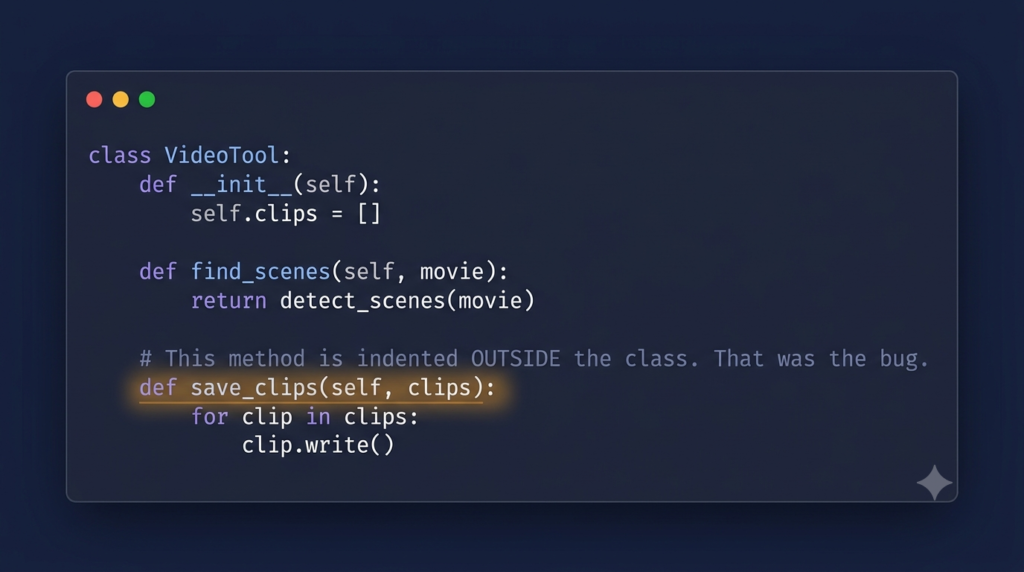
I finished adding a feature to my video tool, ran it, and something was wrong. Not wrong in the way that gives you a red error and a line number. The window opened. The program started. And then, when I asked it to process a movie, it misbehaved, with no crash, no message, and no clue where to look.
The tool was one class that held everything, and its methods called each other through self, like self.detect_scenes(). That is ordinary Python. A class groups related methods, and self is how one method reaches another. The bug was in how three methods were indented. Here is the shape of what I actually had:
class VideoProcessingApp:
    def __init__(self, root):
        self.root = root

    def start_processing(self):
        # ... prepare, then hand off to detection ...
        self.detect_scenes()


# this sits at the far left, OUTSIDE the class
def detect_scenes(self):
    """Detect scene changes in the input movie using FFmpeg"""
    self.log_message("Analyzing video for scene changes...")
    # ... FFmpeg scene detection ...
Look at def detect_scenes. It is at the far left, level with class, not indented inside it. The methods process_scene() and processing_completed() were the same. In Python, indentation is not decoration, it is what decides whether a method belongs to a class. Indented under class, it is a method. Sitting at the left margin, it is just a plain function that happens to take an argument called self.
And here is why it cost me days: Python saw nothing wrong. That code is completely valid. A function at the left margin with a parameter named self is legal Python. So there was no syntax error, no warning, nothing at startup. The file loaded and the app ran. The break only came when self.detect_scenes() tried to find a method that was not actually on the class, and because that ran deep inside the processing flow, it surfaced as broken behaviour rather than an obvious crash. Nothing pointed me at the indentation, because to Python there was nothing to report.
The fix was simply to indent the three methods back into the class:
class VideoProcessingApp:
    def __init__(self, root):
        self.root = root

    def start_processing(self):
        self.detect_scenes()

    def detect_scenes(self):
        """Detect scene changes in the input movie using FFmpeg"""
        self.log_message("Analyzing video for scene changes...")
        # ... FFmpeg scene detection ...
Now detect_scenes is indented one level under class, so it is a real method. self.detect_scenes() resolves, and self.input_file and self.log_message work, because self now refers to the object the method lives on.
A few things people ask me about this
Why was there no error message? Because the misindented method is valid Python on its own, just a module level function instead of a method. Nothing is broken at parse time, so Python has nothing to report until the code tries to call it as a method.
How do you catch this kind of bug? When something misbehaves with no error, suspect structure before logic. Check that every method is indented inside its class, and that self actually refers to what you think. An editor that shows indentation guides makes a stray left-margin def jump out.
Would a linter have caught it? A good linter or type checker often flags a function that takes self but is not inside a class, so running one would likely have pointed at this in seconds. That was a strong reason for me to start using one.
Next
With the tool finally behaving, I turned to a different kind of problem, giving it more ways to work without building three separate engines. Reusing one list of timestamps for clips, intervals, and screenshots is the next post.