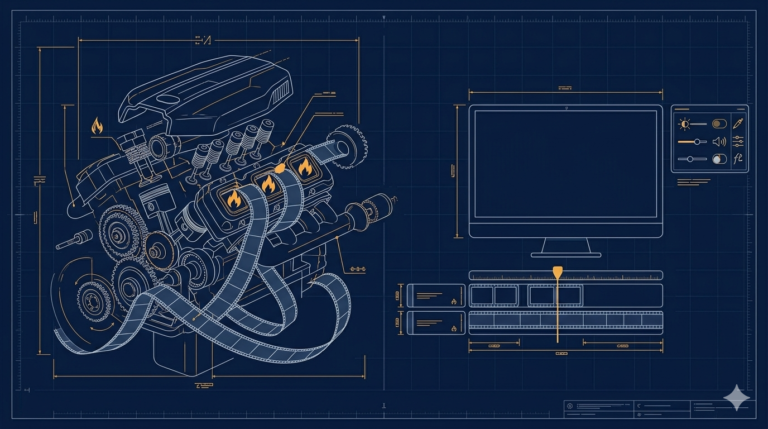
By this point my tool did one thing well. It found scene changes and cut clips from them. But the more I used it, the more I wanted two other outputs from the same movie: clips taken at regular intervals regardless of scenes, and plain screenshots. My first instinct was to build each mode as its own engine. That would have been three times the code and three times the bugs. The better answer was sitting in front of me: every mode is just a different way of using the same list of timestamps.
Scene detection already gave me a list of times. Interval mode is an even simpler list, one entry every N seconds. So I generate the timestamps first, and only then decide what to do at each one:
def build_interval_timestamps(self, duration, step):
    # one timestamp every `step` seconds across the video
    t, stamps = 0.0, []
    while t < duration:
        stamps.append(t)
        t += step
    return stamps
Then one worker walks the list. For a clip, FFmpeg seeks to the timestamp and cuts a short piece. For a screenshot, it seeks to the same timestamp and saves a single frame:
for i, t in enumerate(stamps):
    if self.mode.get() == "screenshots":
        cmd = [
            "ffmpeg", "-ss", str(t), "-i", self.input_file,
            "-frames:v", "1", "-q:v", "2",
            os.path.join(out_dir, f"shot_{i:04d}.jpg"),
        ]
    else:
        cmd = [
            "ffmpeg", "-ss", str(t), "-i", self.input_file,
            "-t", str(self.clip_duration.get()),
            "-c", "copy",
            os.path.join(out_dir, f"clip_{i:04d}.mp4"),
        ]
    subprocess.run(cmd, stdout=subprocess.PIPE, stderr=subprocess.PIPE)
Two FFmpeg details here are worth knowing because they save real time. Putting -ss before -i makes FFmpeg jump straight to that point instead of decoding the whole file up to it, which is the difference between seconds and minutes on a long movie. And -frames:v 1 means take exactly one video frame, which is all a screenshot is. The -q:v 2 keeps the JPEG quality high.
One honest caveat about -c copy: copying the streams without re-encoding is extremely fast, but a copied cut can only begin on a keyframe, so the clip may start a moment earlier or later than the exact timestamp. For screenshots and recap clips that is fine. When I needed frame-exact cuts, I dropped -c copy and let FFmpeg re-encode, trading speed for precision.
A few things people ask me about this
Why is my FFmpeg cut slow on a long movie? Almost always because -ss comes after -i. After the input, FFmpeg decodes everything up to the seek point. Put -ss before -i and it jumps there directly.
Why does my clip not start exactly where I asked? Because with -c copy the cut can only begin at a keyframe. Re-encode without -c copy if you need frame-exact starts.
How do I grab one frame as an image? ffmpeg -ss TIME -i input.mp4 -frames:v 1 -q:v 2 out.jpg. The -q:v scale is 2 to 31, lower is better quality.
Next
All these new modes meant new controls, and my window ran out of room. Some controls were simply cut off the bottom of the screen on a smaller monitor. Fixing that properly, with a scrollable layout instead of shrinking everything, is the next post.