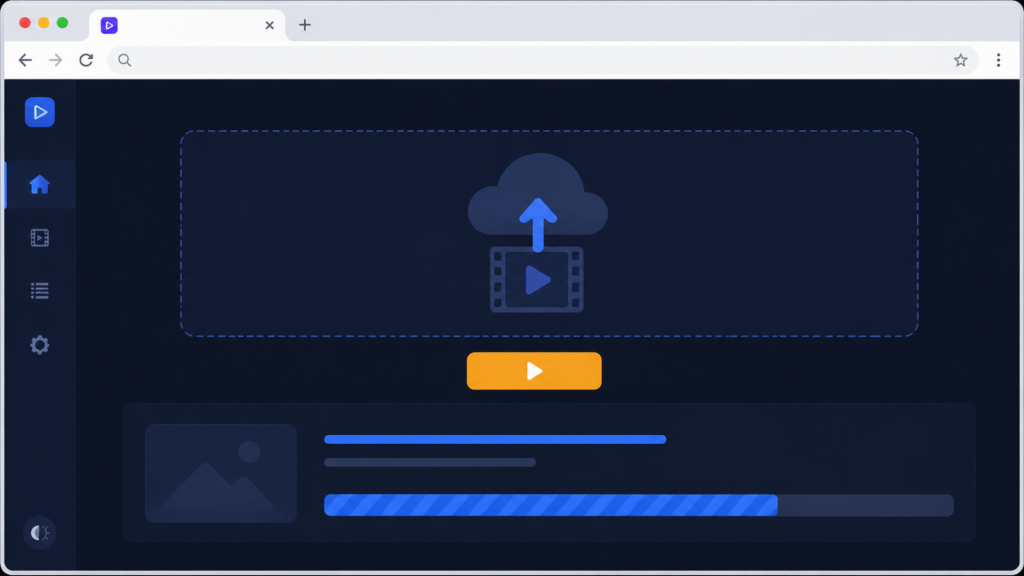
A desktop tool has a wall around it: installation. To use mine you needed Python, FFmpeg on the PATH, and my script, and that alone rules out almost everyone. So the idea grabbed me hard when I learned it existed: FFmpeg, the same engine my tool was built on, compiled to WebAssembly, running entirely inside a web browser. No install. Open a page, drop in a video, process it right there. This post is about how that actually works, and an honest account of how far I took it.
WebAssembly is a format browsers can run at near-native speed, and ffmpeg.wasm is the FFmpeg project compiled into it. The processing happens on the visitor’s own machine, inside the page, the video never has to upload to any server. In JavaScript, the shape of it looks like this:
import { FFmpeg } from "@ffmpeg/ffmpeg";
import { fetchFile } from "@ffmpeg/util";

const ffmpeg = new FFmpeg();
await ffmpeg.load();

// put the user's file into the browser-side virtual file system
await ffmpeg.writeFile("input.mp4", await fetchFile(userFile));

// same FFmpeg arguments I used on the desktop
await ffmpeg.exec(["-ss", "10", "-i", "input.mp4",
                   "-t", "5", "-c", "copy", "out.mp4"]);

const data = await ffmpeg.readFile("out.mp4");
const url = URL.createObjectURL(new Blob([data.buffer], { type: "video/mp4" }));
What struck me is the middle line: the arguments are the same FFmpeg arguments from my desktop tool. Everything I had learned about -ss placement, stream copying, filters, carried over untouched. The browser version is not a different engine, it is the same engine in a different room. Files live in a small virtual file system, writeFile puts the input in, exec runs the command, readFile takes the output back out as bytes you can offer for download.
Now the honest constraints, because they are real. Browser FFmpeg is markedly slower than native, the whole engine is a large download before first use, memory limits make full-length movies impractical, and hosting pages that use it properly requires specific security headers on the server. So it shines for short clips and quick jobs, exactly the recap-clip work my tool did, and struggles beyond that. And the plain truth about my project: this was an exploration and a working proof of the concept in the browser console, not a polished public web app I shipped. The desktop tool remained the workhorse. What the exploration gave me was certainty about the path, the day this tool needs to reach people, the road exists and my FFmpeg knowledge survives the trip whole.
A few things people ask me about this
Does the video upload to a server with ffmpeg.wasm? No. The engine runs in the visitor’s browser and files live in an in-page virtual file system. Nothing has to leave their machine, which is also a privacy win.
Why is browser FFmpeg slow or crashing on big files? WebAssembly runs slower than native and browsers cap memory. It is the wrong tool for full-length movies, use it for short clips, trims, and conversions.
Do my desktop FFmpeg commands work in the browser? Largely yes, the argument syntax is the same engine. That is the beauty of it, knowledge transfers directly.
Next
That is the whole toolkit, from a cluttered first window to clips, merging, composing, captions, and a road into the browser. In the final post I look back honestly at what building it actually taught me. That is the finale.