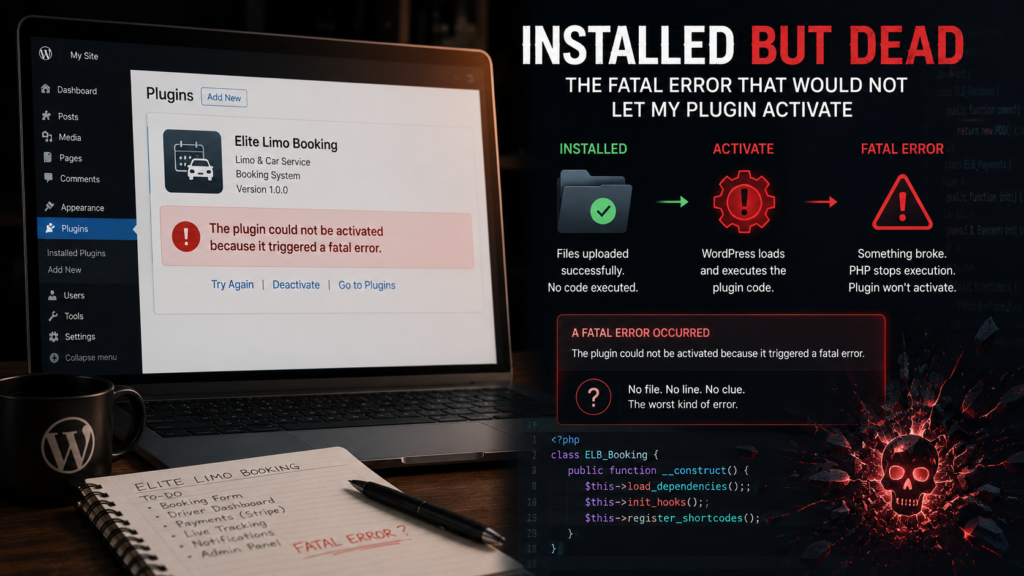
My limo plugin uploaded fine, appeared in the plugins list fine, and then I clicked Activate and got the message every WordPress developer eventually meets: Plugin could not be activated because it triggered a fatal error. No file, no line, just a refusal. Installed but dead. This post is about why install and activate are completely different events, and why that message tells you so little.
Installing a plugin is just copying files. WordPress unzips the folder into wp-content/plugins and reads one thing, the comment header at the top of the main file, the block with Plugin Name and Version. It does not run your code. That is why a plugin with broken PHP installs perfectly, installation proves only that your files copied and your header parses.
Activation is the first time WordPress actually executes the plugin. It loads your main file, which means every line at the top level runs, every require_once fires, every class definition is processed, and your activation hook is called. Any fatal error anywhere in that chain, and WordPress refuses the activation to protect the site. The common fatal culprits are a short list worth knowing cold:
// 1. A require of a file that does not exist (typo, wrong path):
require_once ELITE_LIMO_PLUGIN_PATH . 'includes/class-databse.php'; // misspelled

// 2. Redeclaring a class or function that already exists:
class EliteLimoBooking { }   // fatal if another copy of the plugin defines it too

// 3. Plain PHP syntax errors, a missing brace or semicolon
// 4. Calling a function from a plugin/library that is not loaded yet
Mine, when I eventually found it, was in that family, a dependency being loaded in a state it did not expect. But this post is about the wall itself, and the honest reason the wall is blank. WordPress catches the fatal during a trial activation and reports only that it happened, the details, file, line, message, go to the PHP error log, not to the screen, because detailed errors on screen are an information leak on live sites. So the message is not withholding out of malice, the details exist, they are just written somewhere you have not looked yet.
Which reframes the problem completely. Installed but dead is not a mystery to stare at, it is a pointer saying, your answer is in the log. Turning that log on, reading it, and the strip-it-down method that found my exact line, is the next post, and it is the single most useful WordPress debugging skill I own.
A few things people ask me about this
Why does my plugin install fine but fail to activate? Because installing never runs your code and activation does. The fatal was always in your code, activation is just the first time WordPress executed it.
Where is the actual error message? In the PHP or WordPress debug log, with file and line. The on-screen message is deliberately vague to avoid leaking details on live sites.
Next
Getting WordPress to hand over the real error, WP_DEBUG, the debug.log file, and the strip-it-down method that isolated my exact broken line, is the next post.