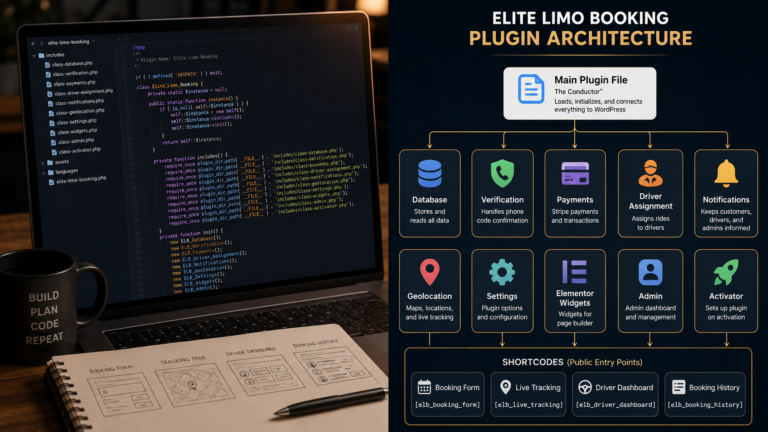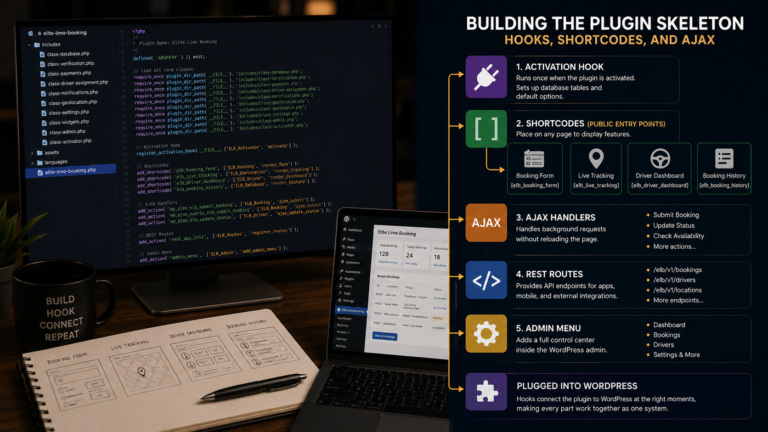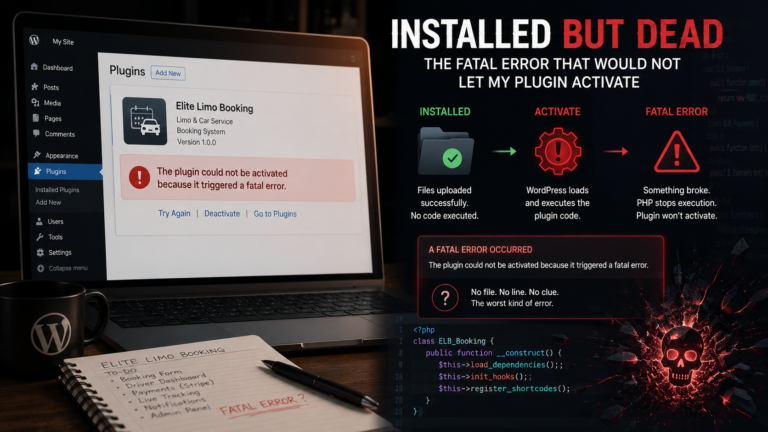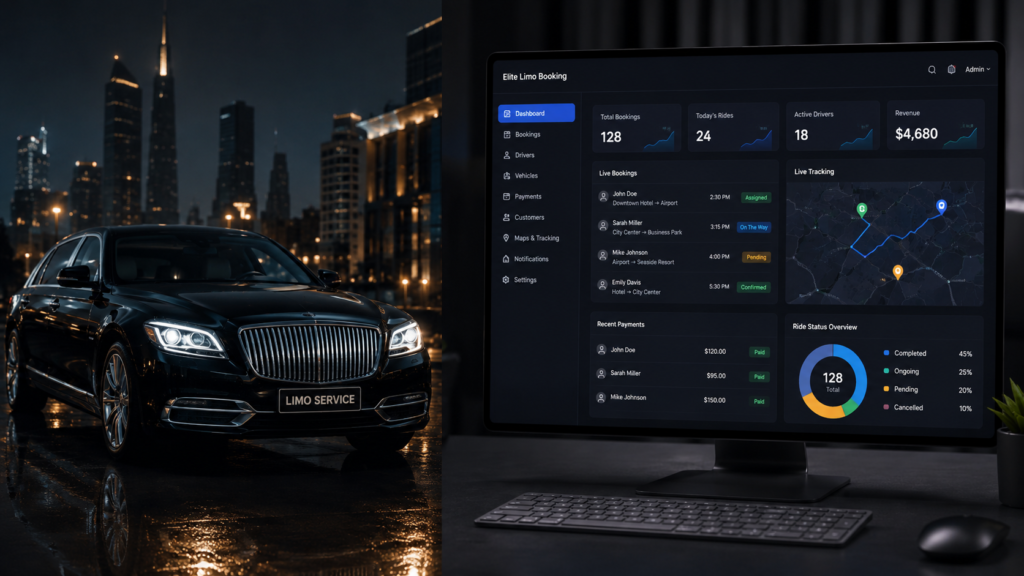
After smaller tools, I aimed big: a complete limo booking system, built as a WordPress plugin. Not a contact form that emails ride requests, a real system, online booking, phone verification, card payments, a driver side, tracking. This first post is the vision, and the one architectural decision I made before writing a single feature, the decision that made everything after it possible.
That decision was where the data would live. The lazy route in WordPress is to stuff everything into posts and post meta, bookings as a custom post type, every detail a meta field. It works for small things and collapses for systems, because a booking system constantly asks database questions, which rides are unassigned, which drivers are free, what did this customer book before, and meta queries answering those are slow and unreadable. A booking is not content, it is a record. Records belong in real tables.
So the plugin creates its own tables, with WordPress’s table prefix respected so it works on any install:
class EliteLimoBooking {

    private $table_cars;
    private $table_drivers;
    private $table_bookings;
    private $table_otp;

    public function __construct() {
        global $wpdb;
        $this->table_cars     = $wpdb->prefix . 'elb_cars';
        $this->table_drivers  = $wpdb->prefix . 'elb_drivers';
        $this->table_bookings = $wpdb->prefix . 'elb_bookings';
        $this->table_otp      = $wpdb->prefix . 'elb_otp';
    }
}
Read what those four tables already say about the system. Cars, because a fleet has vehicles with their own prices and capacities. Drivers, because drivers are not WordPress users with a costume on, they have vehicles, photos, statuses, locations. Bookings, the heart, every ride as one row that can be queried, filtered, and joined. And OTP, because phone verification needs somewhere to hold codes and expiries. Using $wpdb->prefix instead of hardcoding wp_ matters more than it looks, plenty of real sites use a custom prefix, and a plugin that hardcodes wp_ simply breaks there.
The other founding decision was scope honesty. I listed the features in two columns, must work for the system to be real, booking, verification, payment, driver assignment, and reach for it, live GPS tracking, notifications. That second column matters in this series, because I will be honest about which features fully arrived and which stayed partly aspirational. Ambition set the ceiling, the two columns kept the floor solid.
A few things people ask me about this
When should a plugin use custom tables instead of custom post types? When the data is relational and query-heavy, statuses, assignments, joins, reports. Post types suit content that appears on the site, tables suit records the system reasons about.
Why use $wpdb->prefix instead of writing wp_? Because the prefix is a setting, not a constant. Sites change it for security or multisite, and a hardcoded wp_ plugin fails on every one of them.
Next
Four tables and a dozen features can still collapse into one unmaintainable file. How I structured the plugin so it did not become a mess, one class per job with the main file as conductor, is the next post.