By now I had a tool that could pull clips out of any movie. But that was only half of what I needed. The end product was a finished video made of many clips joined together, so I built a second tool, a merger. And the first thing it taught me is that you cannot just glue video files together and expect it to work.
FFmpeg joins files with its concat demuxer. You write a small text file listing the clips, then hand it to FFmpeg:
# build the list file the concat demuxer reads
list_path = os.path.join(out_dir, "concat_list.txt")
with open(list_path, "w", encoding="utf-8") as f:
    for clip in clips:
        f.write(f"file '{clip}'n")

cmd = [
    "ffmpeg", "-f", "concat", "-safe", "0",
    "-i", list_path,
    "-c", "copy",
    output_path,
]
That version, with -c copy, is wonderfully fast because it copies the streams without re-encoding. It also breaks the moment your clips do not match. Different resolutions, different frame rates, different codecs, and the joined file stutters, shows broken timing, or refuses to play past the first clip. My clips came from different sources, so of course they did not match.
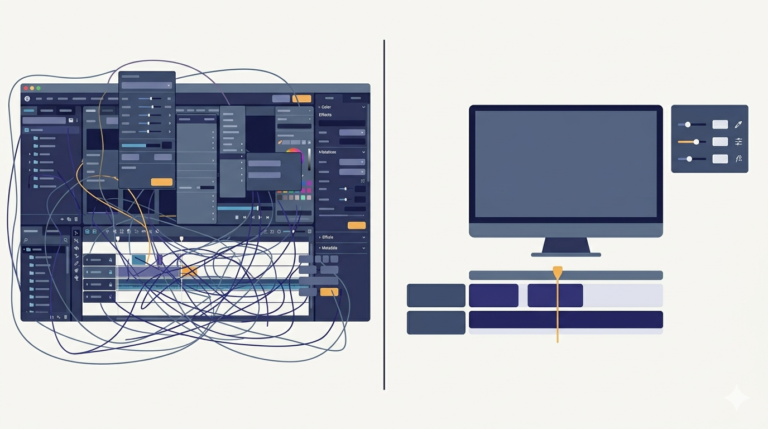
The fix is to standardise before joining. Every clip gets converted to one agreed format first, same resolution, same frame rate, same codecs, and only then are the now-identical clips concatenated:
for i, clip in enumerate(clips):
    cmd = [
        "ffmpeg", "-i", clip,
        "-vf", "scale=1280:720:force_original_aspect_ratio=decrease,"
               "pad=1280:720:(ow-iw)/2:(oh-ih)/2",
        "-r", "30",
        "-c:v", "libx264", "-preset", "fast",
        "-c:a", "aac", "-ar", "44100",
        os.path.join(tmp_dir, f"std_{i:04d}.mp4"),
    ]
    subprocess.run(cmd, stdout=subprocess.PIPE, stderr=subprocess.PIPE)
The filter line does two jobs. scale=1280:720:force_original_aspect_ratio=decrease resizes each clip to fit inside 1280 by 720 without distorting it, and pad=1280:720:(ow-iw)/2:(oh-ih)/2 fills whatever space is left with black bars so every output is exactly the same size. Then -r 30 fixes the frame rate and the codec flags fix the formats. After this pass, the clips are truly identical in shape, and the fast -c copy concat joins them cleanly.
Yes, the standardising pass costs time, it is a re-encode of every clip. But it is the difference between a merger that works on the clips you happen to have and one that works on any clips at all.
A few things people ask me about this
Why does my FFmpeg concat output stutter or stop after the first clip? Your clips differ in resolution, frame rate, or codec. Stream-copy concat needs identical inputs. Re-encode everything to one format first, then concat.
What is -safe 0 for? The concat demuxer refuses paths it considers unsafe, such as absolute paths, unless you pass -safe 0. If you get an unsafe file name error, that is the flag you are missing.
How do I resize without stretching? Use force_original_aspect_ratio=decrease on scale, then pad to the target frame. Scaling alone to a fixed size distorts the picture.
Next
Cutting and joining were the halves. The whole was my actual video format, a clip placed inside a branded template frame with a second video joined after it, plus a preview that saved me from wasting slow renders. That compose step is the next post.